Alteruna Multiplayer Docs
Network
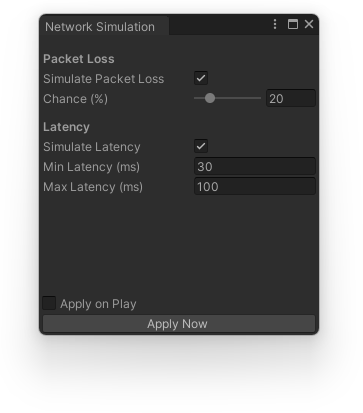
Editor window for simulating adverse network conditions - packet loss and latency - to test how your game behaves under a poor connection. Found under Window > Alteruna > Network Simulation.
Requires the project's transport to be set to TransportType.DefaultStatistics in the Alteruna
configuration. If it isn't, the window shows a clickable warning that switches it for you. The plain
Default transport never carries any simulation code, so choosing it keeps your build free of the overhead.
Simulate Packet Loss randomly drops incoming packets at the given chance percentage. Simulate Latency
holds incoming packets for a random delay between the given minimum and maximum, in milliseconds.
With different minimum and maximum values, you can simulate out-of-order packets.
Apply when entering Play Mode automatically applies the current settings as soon as the transport starts,
for as long as this window stays open - closing it stops the automatic apply. Apply Now applies the
current settings immediately while already in Play Mode.