Alteruna Multiplayer Docs
Avatar Class
Avatar is used to represent a player in a Room.
Definition
Namespace: AlterunaComponents
Assembly: Alteruna.Multiplayer.UnityFiles (in Alteruna.Multiplayer.UnityFiles.dll) Version: 1.0.0+c5328b35489e83c42e288435f5acf6115fd519e0
Assembly: Alteruna.Multiplayer.UnityFiles (in Alteruna.Multiplayer.UnityFiles.dll) Version: 1.0.0+c5328b35489e83c42e288435f5acf6115fd519e0
C#
public sealed class Avatar : Avatar- Inheritance
- Object Object Component Behaviour MonoBehaviour CommunicationBridge Avatar Avatar
Remarks
Avatar is a CommunicationBridge and can be used to synchronize data between clients.
Example
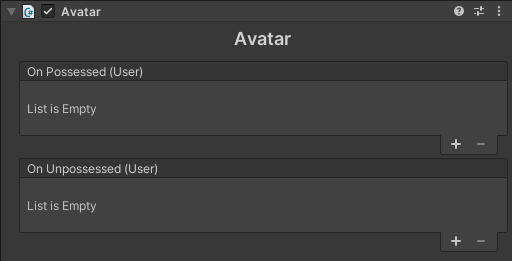
Avatars have events that can be used similar to OnEnable and OnDisable. The possession status can also be accessed with Avatar.IsPossessed When working with Avatars, the most useful information is to check for the controlled Avatar, this can be done using Avatar.IsMe. To make a fist person game, simply move the camera to the avatar with the Avatar.IsMe set to true. See following example.
C#
// Avatar reference
public Avatar MyAvatar;

void Awake() {
    // Event for avatar possessed
    MyAvatar.OnPossessed.AddListener(Possessed);

    // OnUnpossessed is called on unposses and client disconnect.
}

// Log username on Possession
void Possessed(User user) => Debug.Log("Possessed by " + user.Name);C#
public Avatar MyAvatar;

void Awake() {
    MyAvatar.OnPossessed.AddListener(Possessed);
}

void Possessed(User user) {
    // Return if not user's client.
    if (user != MyAvatar.Multiplayer.Me) return;

    // Set camera as child to object
    Camera myCamera = Camera.main;
    myCamera.transform.position = transform.position + new Vector3(0, 0.4f, 0);
    myCamera.transform.SetParent(transform);

    // Lock cursor
    Cursor.lockState = CursorLockMode.Locked;
    Cursor.visible = false;
}